Customizing your Roblox avatar should feel fun, not confusing, and the good news is that the platform gives you plenty of official options to shape your look. Whether you want a clean everyday outfit, a bold fantasy character, or a playful mix of trends, you can build a strong style
without spending much time. The key is to start with the basics, then add one choice at a time so the whole design stays clear. If you begin with a simple plan, you can avoid random purchases and still end up with an avatar that feels personal. Focus on the
Where to edit your avatar
body, clothes, accessories, and saved outfits first, then look for free items and seasonal promotions that match your taste. This approach helps you stay organized, keep your Robux under control, and make changes whenever your mood or theme changes. The easiest place to begin is the Avatar Editor, which lets you adjust your
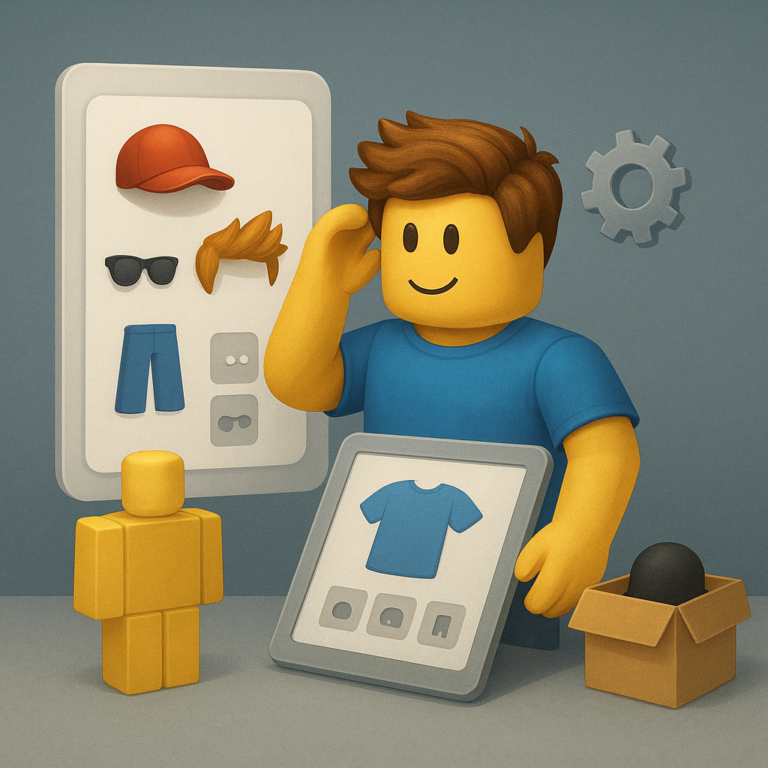
look directly from Roblox. Open your account menu, find the customization area, and check the sections for body parts, clothing, accessories, animations, and saved outfits. Working inside the official editor matters because it shows what is currently equipped, what is available to you, and what can be changed without guessing. Take a moment
to explore each tab before buying anything. Many players rush into the shop and miss items they already own, such as classic shirts, free hats, or faces hidden in inventory. When you review the editor first, you can spot combinations that already work and decide which upgrades are actually worth the cost.
Head, clothes, and accessories
Once you know where everything lives, build the avatar from the top down. Choose a head shape or face that matches the mood you want, then move to shirts, pants, and layered clothing if your account supports it. Accessories should support the outfit, not fight it, so use them to
Pick one clear theme
add personality through glasses, hair, backpacks, or a single standout item. A focused theme makes every choice easier. You might aim for sporty, retro, futuristic, cozy, or heroic, but the important part is keeping the colors and shapes consistent. If your jacket is bright and detailed, try simpler pants and
Use contrast carefully
fewer accessories so the avatar does not look crowded or unfinished. Good style often comes from contrast, but too much contrast can make the avatar look noisy. Balance dark and light colors, oversized and fitted pieces, or shiny and matte textures so the outfit has energy without losing structure. This
Free items and official promotions
is especially helpful when you combine free items with premium pieces, because contrast can make modest items feel more intentional. Free items are one of the best ways to customize without hassle, especially if you enjoy changing your look often. Check the avatar shop, event pages, and official
Roblox promotions for items that cost nothing but still add personality. These pieces may seem small, yet a simple hat, hair style, or face accessory can transform the whole outfit when used with care. Official promotions are worth watching because they often reward players with themed items
tied to seasonal events or brand collaborations. When you claim items from trusted Roblox channels, you avoid risky third-party offers and keep your account safe. That makes the process smoother, and it also gives you a growing wardrobe of pieces you can reuse in future outfits. patience, customizing your Roblox avatar becomes easy, creative, and genuinely satisfying.
Style combinations
Styling is easier when you think in combinations instead of isolated items. Start with a base shirt and pants, then test one hair choice, one accessory choice, and one color accent at a time. If the outfit still feels balanced after each addition, you know the design is moving in the right direction.
You can also save different looks for different moods. One avatar can be relaxed and casual, another can be sleek and urban, and a third can lean into fantasy or comedy. Saved outfits make this simple, because you can switch identities quickly without rebuilding everything from scratch every time you log in.
Mix classic and modern pieces
Classic Roblox items can work surprisingly well with newer styles. A vintage shirt or simple face may pair nicely with modern hair, layered jackets, or polished accessories. Mixing eras like this creates a more personal result, and it often helps an avatar stand out from the many presets other players use.
How to save Robux
If you want to customize on a budget, decide what matters most before you shop. Spend on the item that changes your avatar the most, such as hair, a signature accessory, or a strong outfit base, and rely on free items for the rest. This method keeps your look sharp while preventing small impulse
buys from draining your balance. It also helps to wait before buying anything new. Leave an outfit in your editor for a day, then come back and see whether it still feels right. That short pause can save Robux, reduce clutter, and stop you from collecting items you only liked for a moment.
Build a look that feels like you
The best avatar is not the most expensive one; it is the one that matches your identity and the mood you want to show. Use the official editor, keep an eye on free items, and shape each outfit around one clear idea. When you combine thoughtful choices with a little